Customer booking view
The customer booking view is the page a customer sees when booking a table at your restaurant. Customers reach it through the booking page link or through the booking widget embedded on the restaurant's own website.
Booking steps
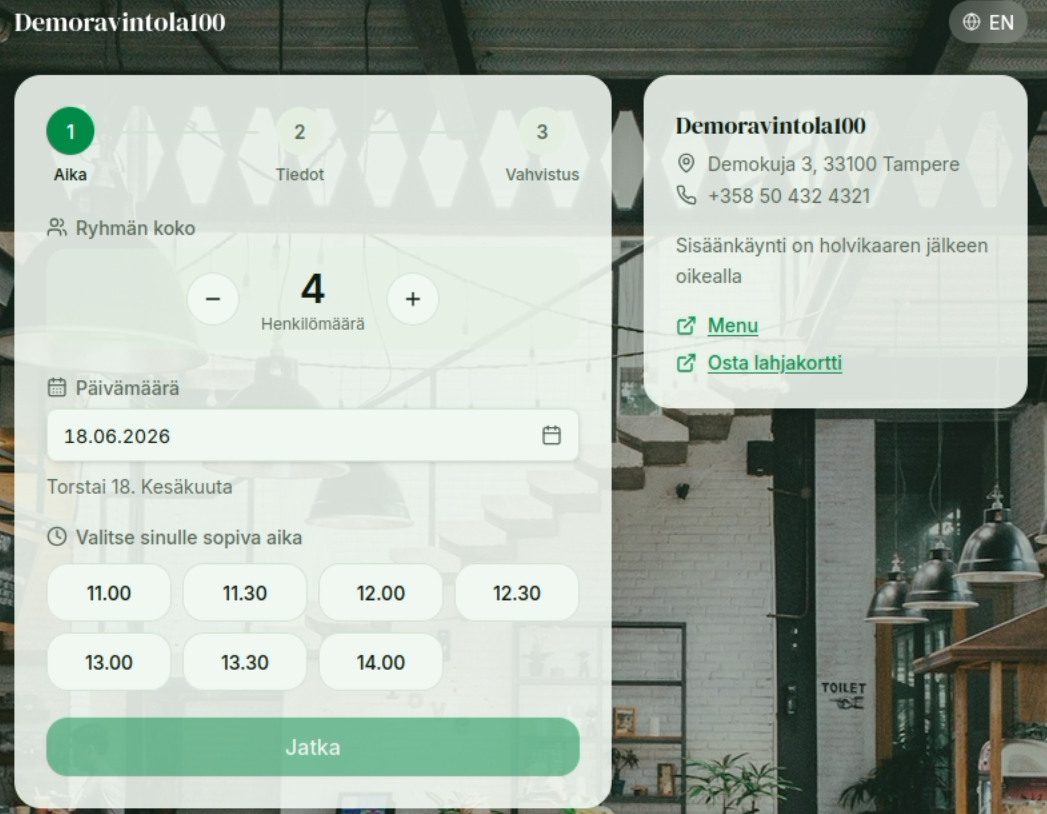
A booking proceeds in three steps: Time → Details → Confirmation.
First the customer selects the group size and date, and a time that suits them. The calendar only allows dates within the restaurant's booking window — the page shows "Reservations can be made up to {date}.", and days beyond the window are marked "Reservations are not yet open for this date". You can set the length of the booking window in Settings.
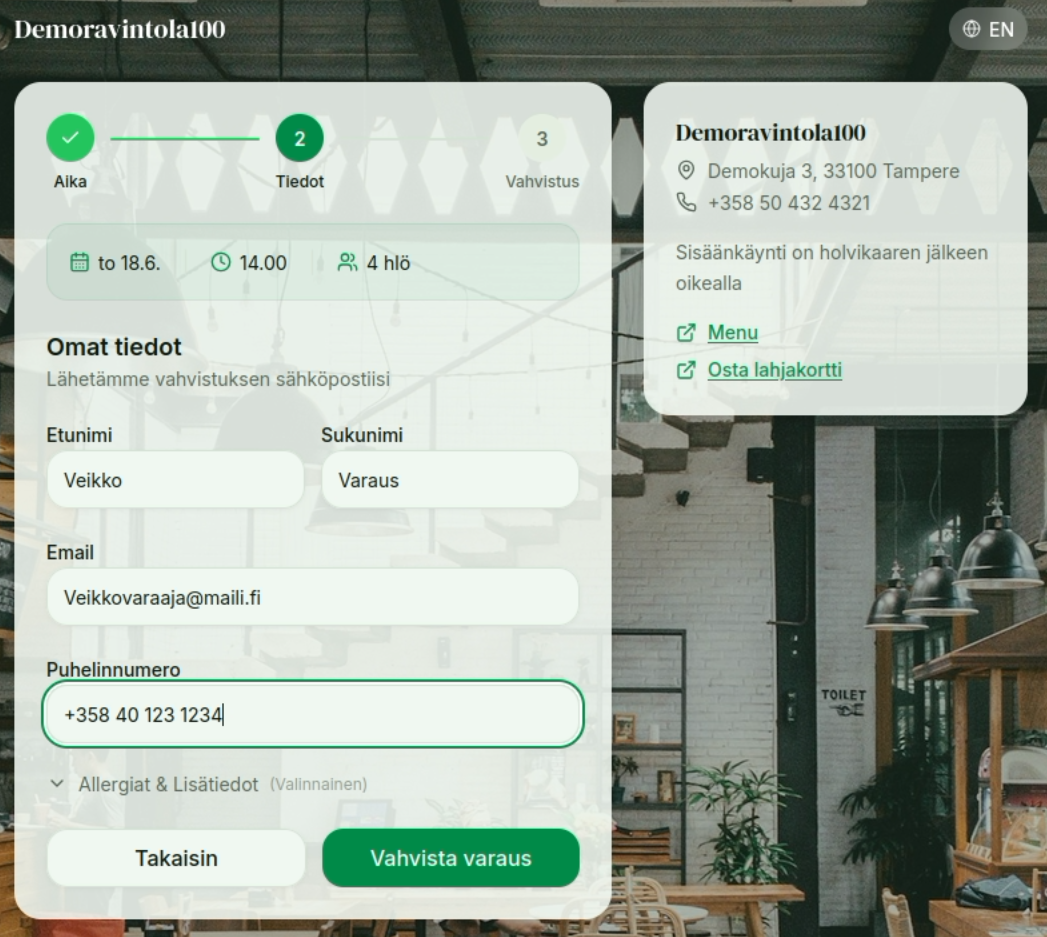
Next, the customer fills in their details:
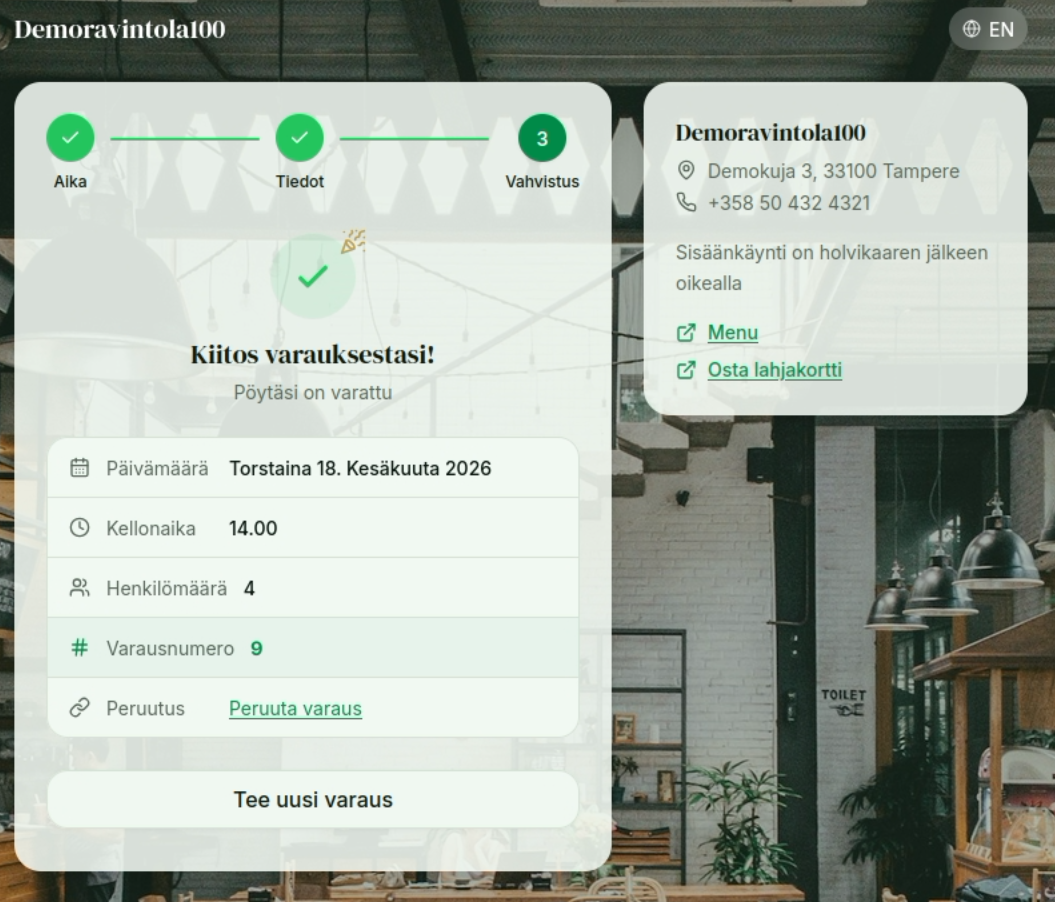
Finally, the customer receives a confirmation of the reservation:
Customizing the appearance and additional information
Through Settings you can change the booking window's theme and background image, and define what additional information you want to show in the info menu on the right (the info box).
TIP
A confirmation email is also sent to the email address the customer provides.